Retro flip-style desk clock with Pomodoro and ambient sound
FlipClock: Retro Desk Clock, developed by Soosu Lab., transforms an Android device into a minimalist flip-style desk clock for focused work and display use. The app combines a large visual timepiece with a built-in focus timer and ambient audio to support concentration during tasks. It offers theme customization, adjustable alarms, and orientation support to suit docked phones or tablets. Students, remote workers, and anyone repurposing an old device benefit from a decorative yet practical desk accessory.
How does FlipClock function as a desk display and focus tool?
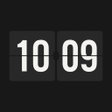
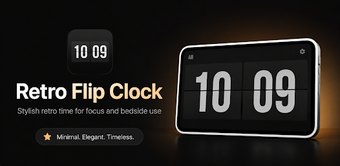
FlipClock uses a single-screen interface that prioritizes time visibility while offering secondary utilities. The interface presents a mechanical flip animation for the clock while providing a configurable focus timer and simple alarm controls, all accessible without deep menus. Themes and color-scheme options let users match a physical desk setup, and orientation support covers both portrait and landscape presentations for docked devices.
Does the app affect device resources during continuous use?
The app is designed to operate as a persistent display with low system impact. The developer has optimised the code for low resource consumption so it can run in the foreground or background without heavy load. Built-in battery-saving choices and screen-preservation options aim to reduce power draw and lower the risk of long-term screen artifacts when the device remains active for extended periods.
Is the app suitable for non-technical users who want focus features?
The app combines a visual clock with productivity tools that require little technical skill to configure. Work and break durations in the focus timer can be adjusted through straightforward settings, and ambient audio choices include white noise, rain, and nature for concentration. Simple alarm controls and the clean interface make it approachable for students, remote workers, and office users who prefer a low-friction setup.
Practical choice for decorative timekeeping and basic focus workflows
FlipClock is a practical option for users who want a stylish desk display that doubles as a simple focus aid; the app’s reception highlights its visual quality and unobtrusive design. Its suitability is strongest for people repurposing older Android devices as dedicated clocks or study aids. Expect a dependable desktop accessory with a clear aesthetic emphasis rather than a full-featured productivity suite.
Pros
Large flip animation improves time readability on docked devices
Adjustable focus timer supports custom work and break intervals
Multiple ambient sounds for background concentration
Battery-saving and screen-preservation options for long displays
Cons
Android-only, requires compatible device to repurpose as a clock
Not intended as a full productivity suite for complex workflows
Continuous screen-on use still needs user-managed brightness to limit wear
Laws concerning the use of this software vary from country to country. We do not encourage or condone the use of this program if it is in violation of these laws. Softonic may receive a referral fee if you click or buy any of the products featured here.